The desktop view for the office.
Clean up old records, connect them to the GIS, approve field work and see every change. It runs in any modern browser on a PC or a Mac.
What the office does in Splicepoint.
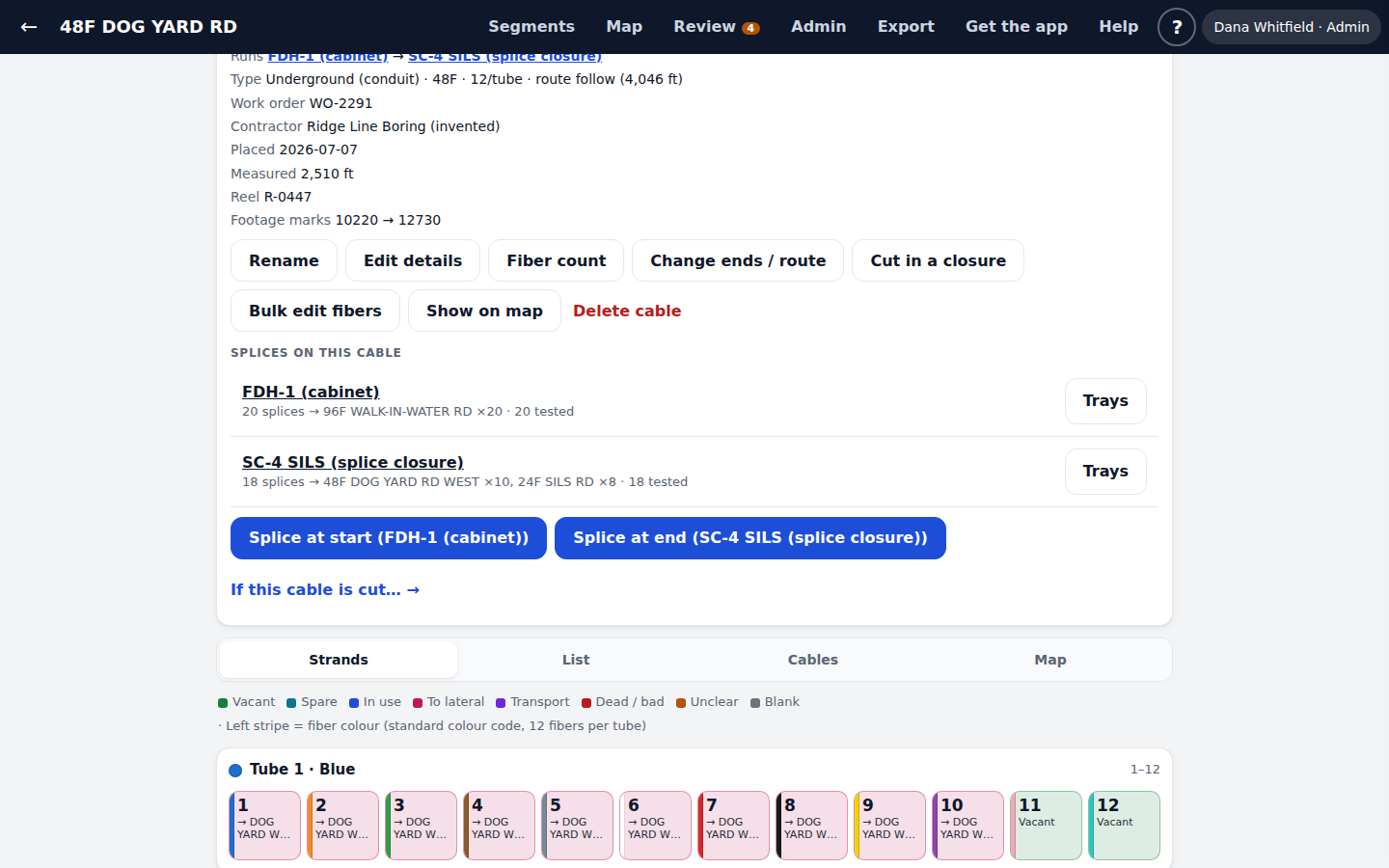
Every cable, at a glance
Each segment shows its fibers by tube, its counts and a cable card with its ends, type, work order, contractor, placed date and splices.
- Rename a cable everywhere at once
- Change the fiber count safely
- Bulk edit a range of fibers
- Cut in a new closure
A review queue for old records
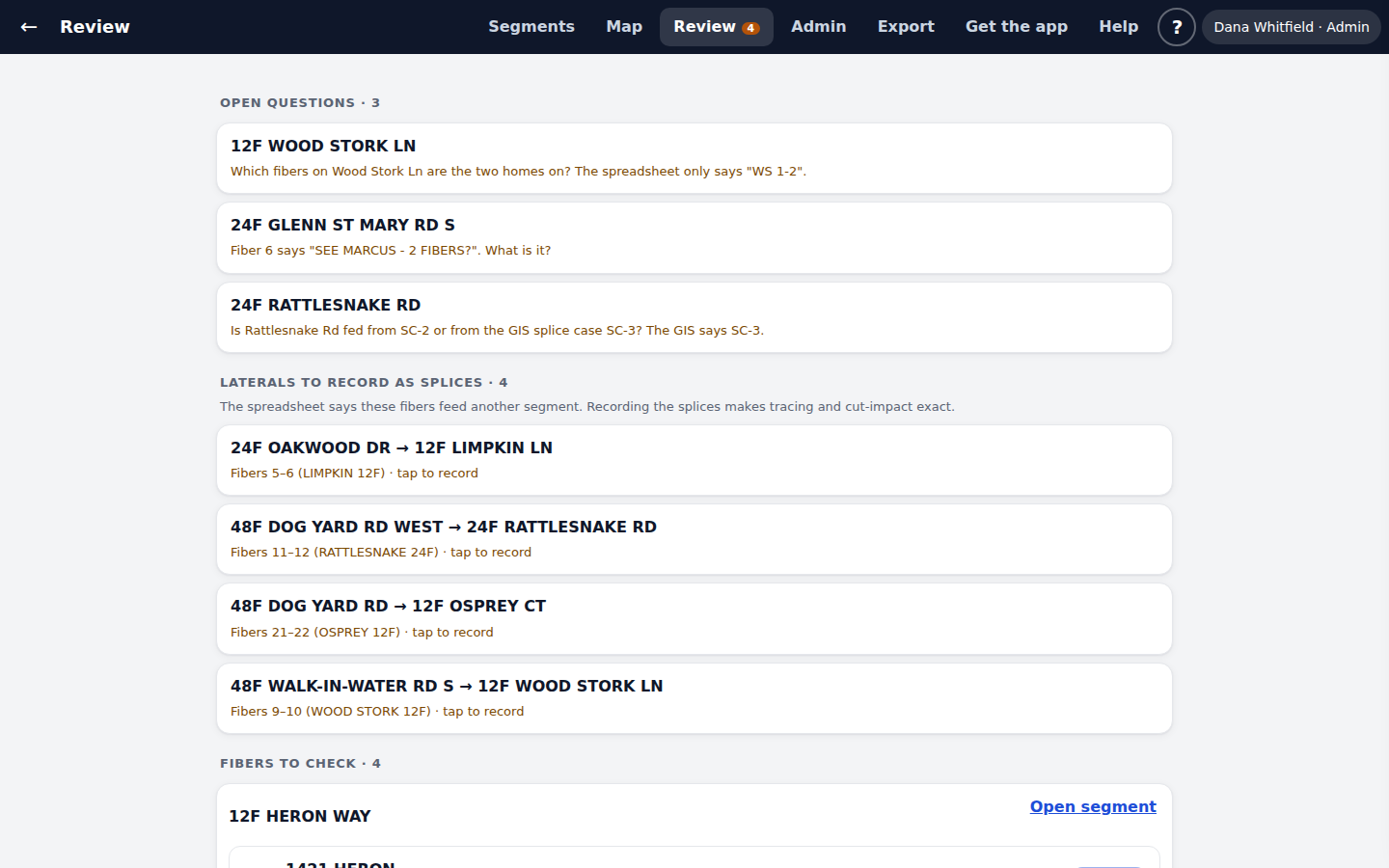
Rows from the spreadsheet that look wrong are flagged with the reason. Work down the list and mark each one checked.
- Mixed addresses and statuses split apart
- Open questions for the person who knows
- Laterals ready to record as real splices
Link segments to the GIS
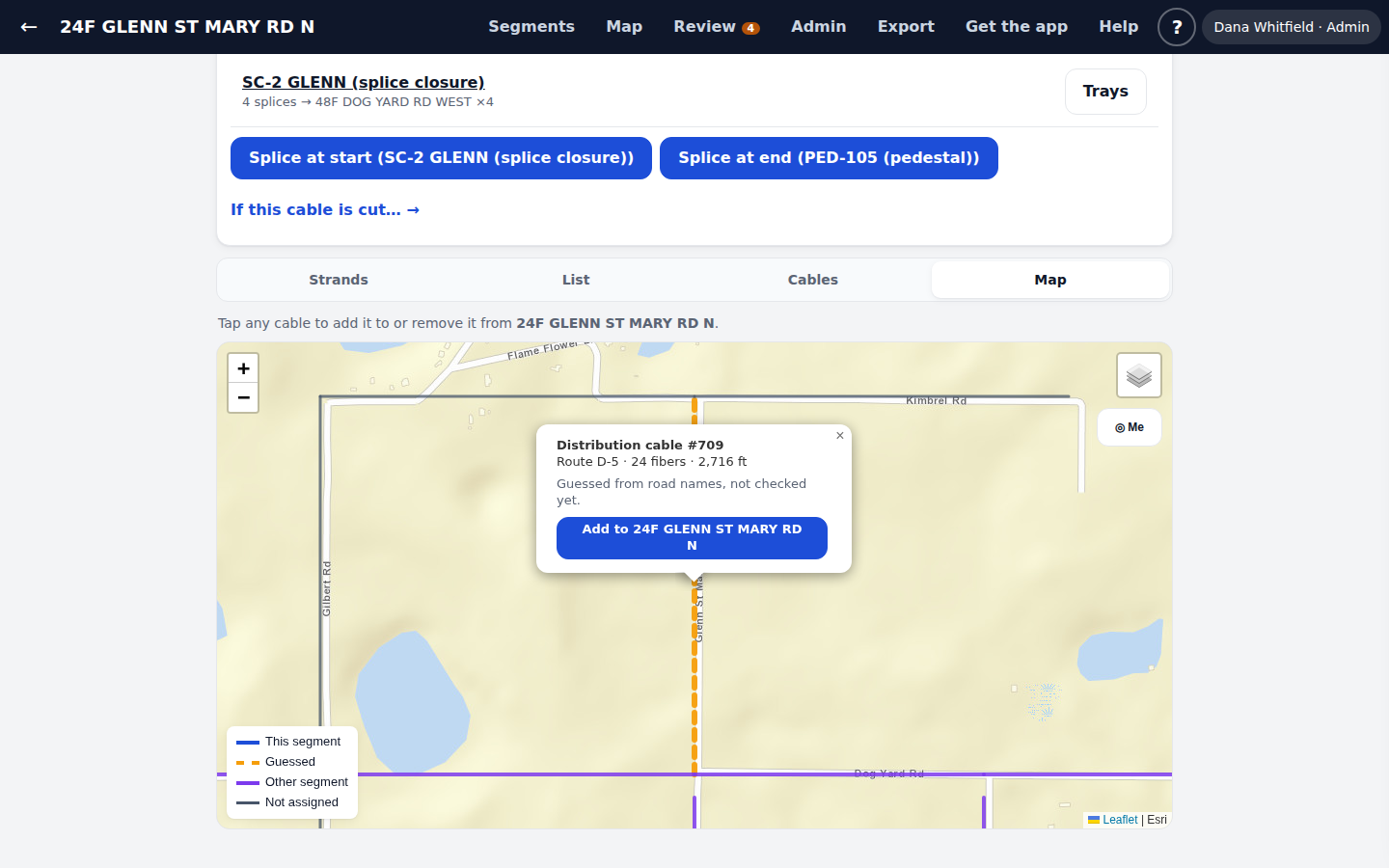
Tap the cable pieces each segment runs through. Guesses made from road names show as dashed lines, so you only confirm them.
- Links kept by GlobalID
- Warns you when a linked cable is gone from the GIS
- Each piece shows its route and fiber count
Approve field work into ArcGIS
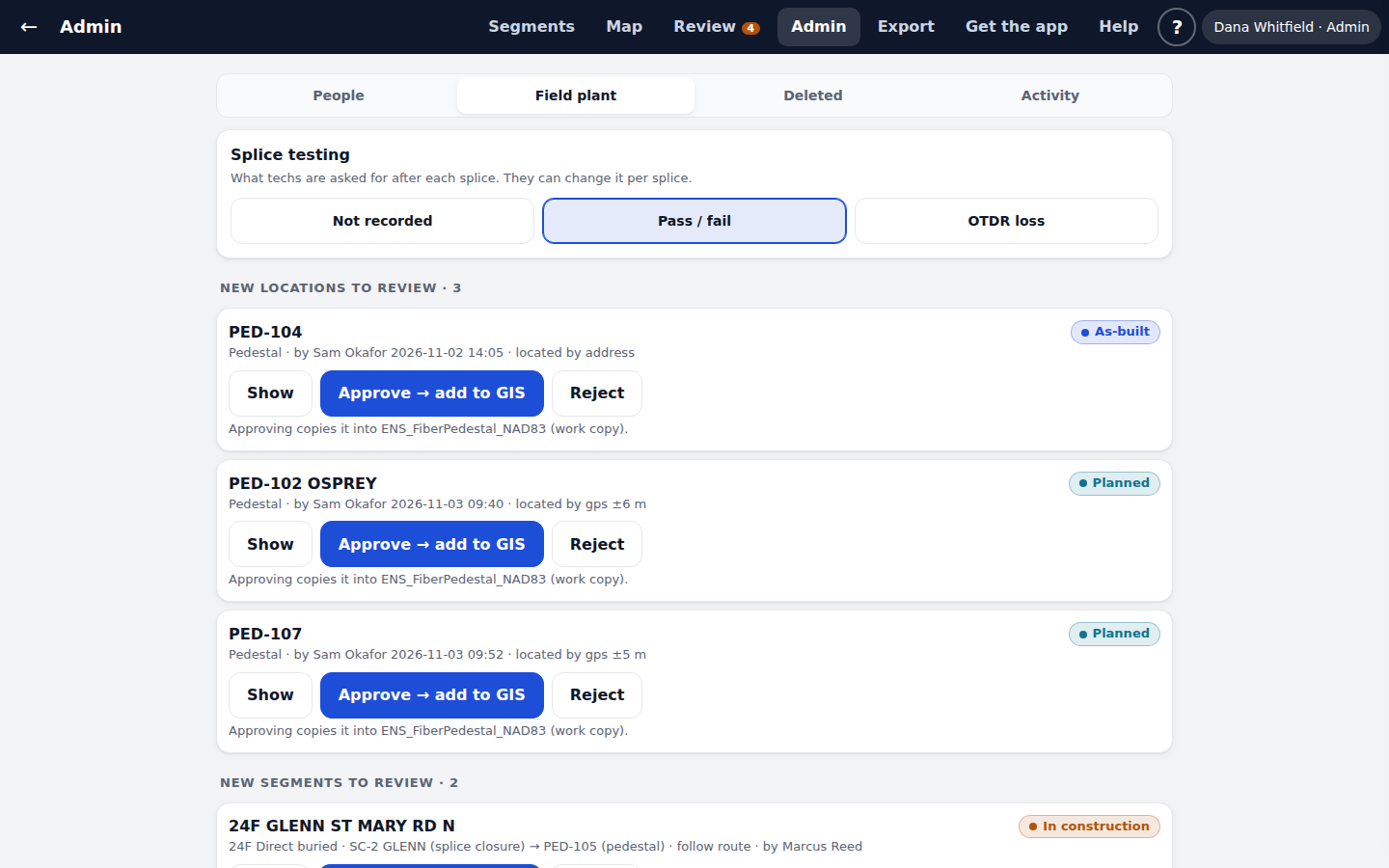
New structures and segments from the field wait here. Check them on the map, then approve or reject.
- Approve copies them into your matching layer
- Re-approval updates the same feature
- Choose what tests techs record after each splice
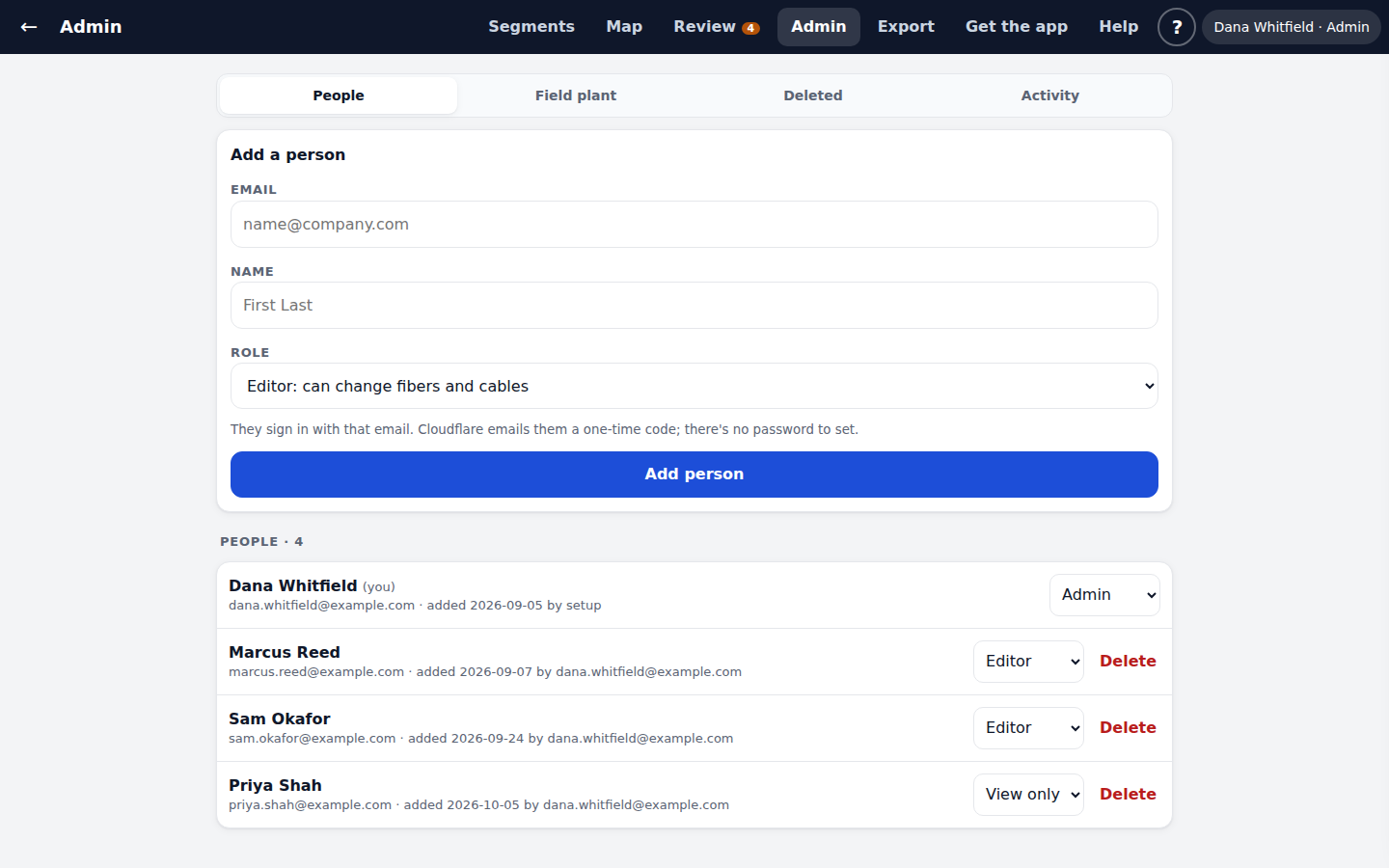
People and roles
Add people by email and pick a role. They sign in with a one-time code.
- Admin, editor or view-only
- Can't remove the last admin by mistake
- Removed people are held 30 days
Activity and restore
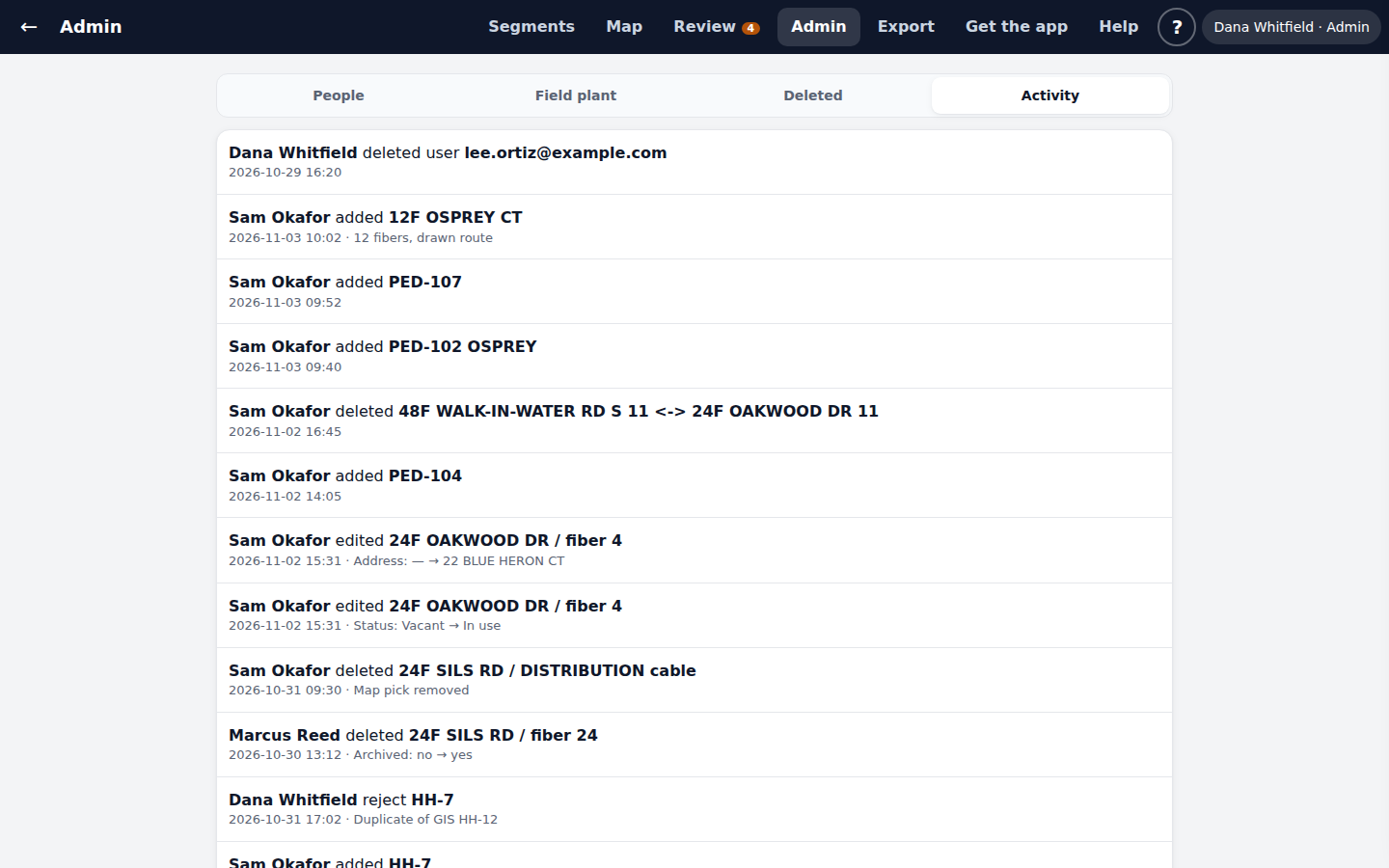
See every change, by person, with old and new values. Restore anything deleted in the last 30 days.
- Fibers, links, people, structures, cables and splices
- Restoring a cable brings back its fibers and splices too
- Download every fiber as a CSV file
Want to see it on your own network?
Tell us how you keep fiber records today. We will show you Splicepoint on a call, then talk about setting it up on a copy of your data.